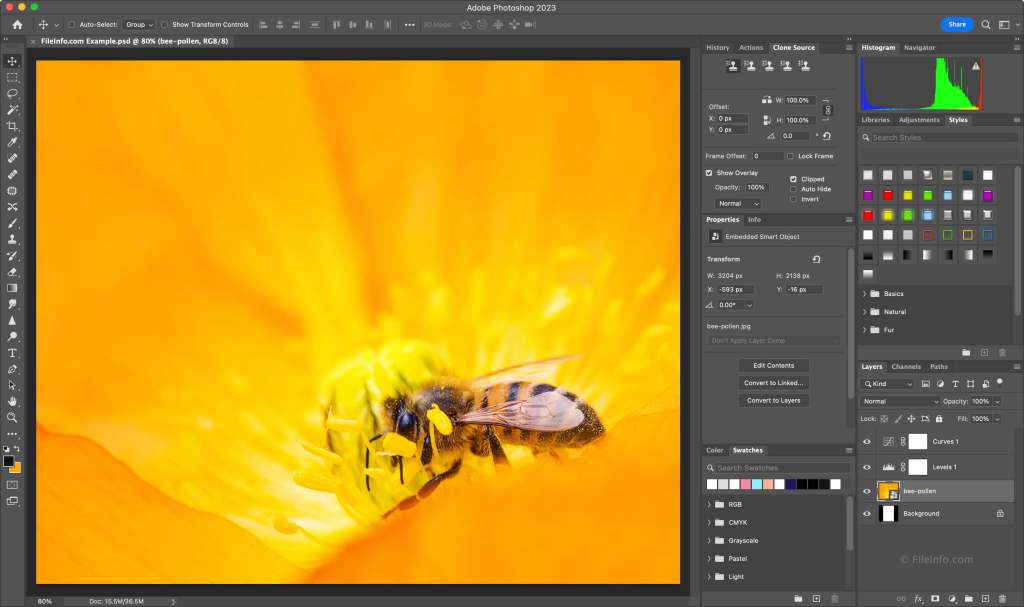
Processing images can be a lengthy activity. I get asked lots of questions about which is the best post-production workflow in order to arrive at the finished image/s? How long does it take? What are the main ‘do’s and don’ts’? What’s the best software? & etc etc
I’m going to try and break all this down into bite-size chunks without getting too nerdy BUT there is one thing that I must point out at the off: this is not about ‘My way or the highway’. It’s about offering a few bits of information that you may (or may not) find helpful. What you take on board is up to you but if you’re serious about your photography and a little confused about post-production work-flow then perhaps some of this may help. But before all the technical stuff it’s worth pointing out the folly of suggesting that photographs shouldn’t be processed at all and that straight out of camera is the thing to aim for without having to Photoshop your way to a good image…because that’s cheating! So let’s get one thing absolutely crystal clear at the outset: in pre-digital days you’d take your roll of film to your local developer and a few days later pick up the finished prints and you’d probably be well chuffed with the outcome…and perhaps a little bit egotistical about how good a photographer you were. However, your final prints were very often the result of the developer processing your images in ways to achieve the best possible outcome for any given image: overly bright or dark images would be adjusted to best exposure, verticals and horizontals would be adjusted to achieve correct perspectives and even colours could be adjusted to some degree. It was never a case of ‘straight out of camera’. The better the processing the more that particular developer was used by consumers. It was always in the interest of the developer to get repeat business. Having got that out of the way…back to the topic:
Basic rules
- Always shoot in RAW. This gives maximum data. If you shoot in JPEG then every time you process an image it becomes increasingly corrupt. It’s like ending up with a photocopy of a photocopy of a photocopy. Shoot only in RAW
- Set your in-camera style to neutral or standard. This, again, gives maximum data.
- Take multiple images of the same thing. If nothing else it’s a safety net in case you get it wrong first time. It doesn’t cost anything. And it may save the day.
Software I use
- Lightroom
- DxO Pure Raw
- Photoshop
- DxO Nik Collection
My Workflow
- Download RAW images into Lightroom
- Cull all unwanted images (for whatever reason)
- Saved images into DxO Pure Raw (this processes the RAW images for initial noise reduction and minor sharpening with no corruption)
- Then move images to Photoshop Raw for processing (Basic settings, White Balance, Temperature, Tone, Presence, Tonal Curve, Hue , Saturation, Luminance, Colour Grading etc)
- Final processing in Photoshop for finishing primary editing
- Possibly then DxO Nik Collection for Selective adjustments if necessary e.g. Structure
- Processed images back to Lightroom and saved as JPEG ready for publication.
This seems an awful lot to go through just to get to the final image but it’s certainly worth it and once you get familiar with your workflow then it’s relatively straightforward and not as prolonged as you might imagine. Afterall, if you’ve put in the time and effort to take your photographs isn’t it worth giving them (and yourself) the respect they deserve? And I guarantee that the post-production workflow will teach you a lot about how to get images consistently good: you’ll be able to identify mistakes that you probably didn’t notice when you first looked at the images.
Price of software
- Photoshop is available in different bundles to suit your specific needs and is available for a one off annual price or monthly payments. Advantages: regular updates and most sophisticated general processing available. Bundles can include Lightroom & Photoshop Raw, Adobe Bridge and any Beta versions as they happen, Unlimited cloud storage, free templates and other free downloads etc including AI.
- Photoshop Elements is available for a one off payment but no updates and somewhat limited processing. Nevertheless, a good buy if you’re starting out
- DxO Pure Raw: one off annual price or monthly payments. Regular updates
- DxO Nik Collection: one off annual price or monthly payments. Regular updates
Alternatives
There are lots of free downloadable alternative software packages available on line but many of the bigger names have ‘Try before You Buy’ trials. And most cameras come with additional software packages such as Canon’s Digital Photo Professional
How will I know if an image is not overly processed? Objectivity is the answer coupled with experience. If you’re unsure then get someone to critique your finished photos: they have to be brutally honest!!
Is all this worth it? Put simply: you’ve spent hard earned money buying a good camera so give your photos the respect they deserve.
Happy Snappin’ folks
N.B Do I ever shoot in JPEG? If a client wants images as they happen then of course I’ll shoot in JPEG so that I can send them as I shoot. Some clients want images yesterday! In these circumstances you’ve gotta get it as good as you can in-camera otherwise you’ll lose the job because they won’t wait for processed images...Horses for courses
 Meter The Light